FlippyWindow
FlippyWindow is a simple Windows application that non-destructively flips any part of your screen, in real-time, and using minimal resources.
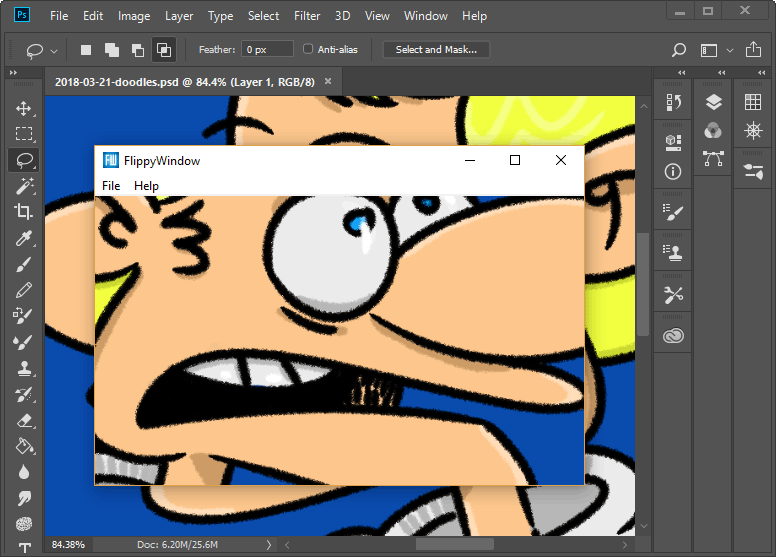
Flipping images (or viewing things with a mirror) is a technique used to help view things with “fresh eyes” which can aid with spotting visual issues.
Download FlippyWindow 1.0.0
- It's free! Requires Windows 8 or later.
- Nothing to install: just unzip and run.
- FlippyWindow is open-source.
Frequently asked questions
Can’t I just use any image editor to do what FlippyWindow does?
Probably! I wrote FlippyWindow back when I was using a version of Adobe Photoshop where the only way of viewing your work flipped was to transform it back-and-forth, which was especially painful with large documents. Since then, most of the image editors I’ve used (including Photoshop) have a way of non-destructively viewing your work flipped.
FlippyWindow can also help you spot visual issues in work outside of image editors, including animations, application user interfaces, and website designs.
Is FlippyWindow available elsewhere?
You can also download FlippyWindow from itch.io.
If you want to support FlippyWindow and anything else I make, please consider naming your price before downloading. This is completely optional; you can download FlippyWindow without paying or signing up to anything.
SHA-256 checksums are available to verify the archive downloads (either from here or itch.io).
Where can I download the source code to FlippyWindow?
FlippyWindow’s source code is licenced under the MIT licence and is available on my personal site and GitHub.
Will earlier versions of Windows, Linux and macOS be supported?
FlippyWindow (ab)uses APIs that were introduced in Windows 8, specifically the second release of the Magnification API.
FlippyWindow works on the operating systems I use, so there are no plans to investigate whether FlippyWindow can support earlier versions of Windows and other operating systems.
For users using 32-bit versions of Windows, a 32-bit version of FlippyWindow is available to download.
Changelog
Version 1.0.0 (01/04/2018)
- Initial release.